One floor plan. Three conditions.
See how a property agent, landlord or contractor in Manila can turn a flat floor plan into 3D room images, from brand new to barely liveable.
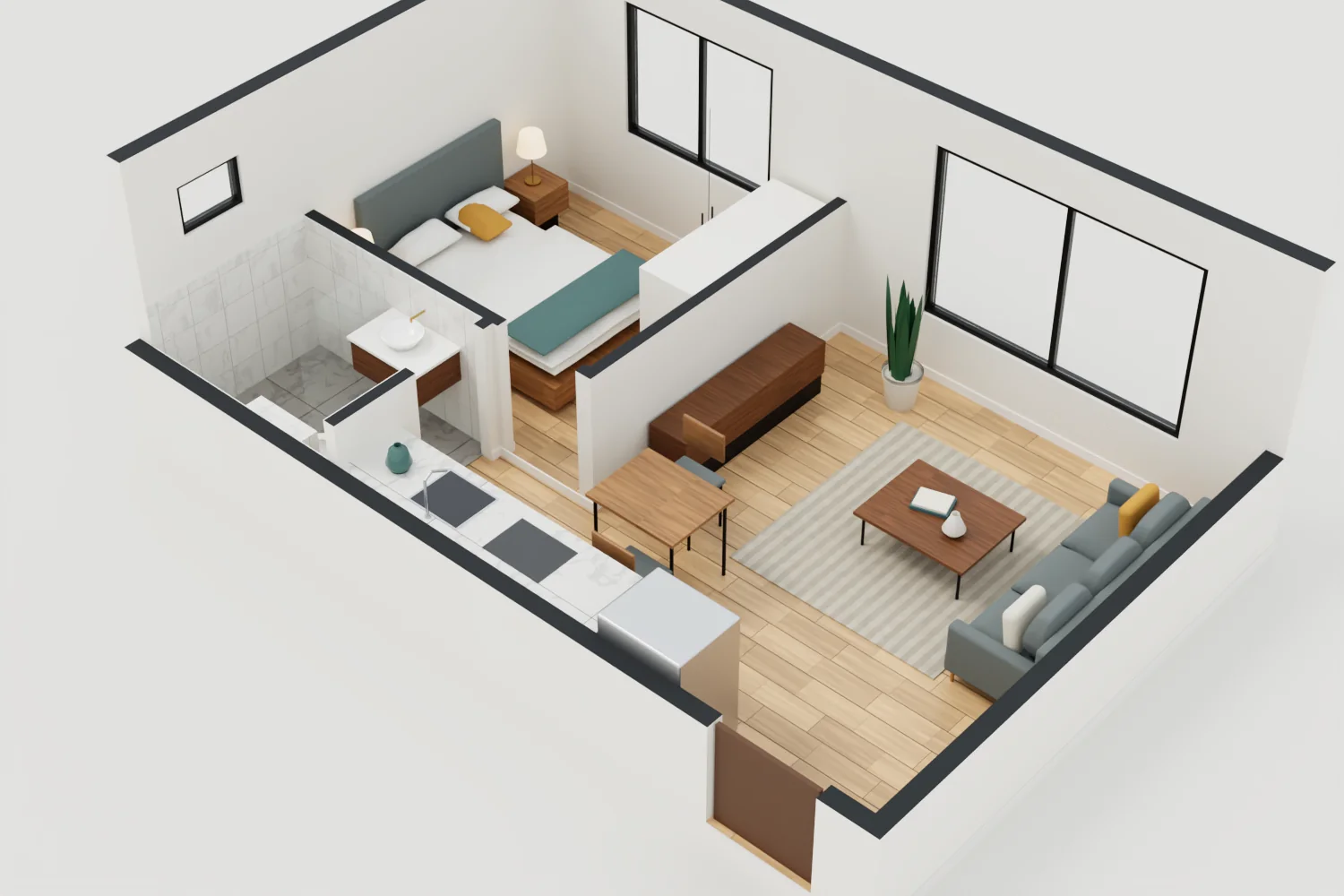
This is a sample page. The unit is fictional, the images are already prepared, and no AI or paid API runs when you use it. Every image is a 3D illustration, not a photo of a real property.
1Start with the floor plan
Taken from the plan
Sample Unit A
- Size:
- 7.0 × 4.6 m, about 32 m²
- Rooms:
- Living room, kitchen, one bedroom, one bathroom
- Doors:
- One entry door, two inside doors
- Windows:
- Three
- Ceiling:
- 2.6 m
2Pick a room and a condition
Tap a room on the plan, then switch between the three conditions.
3Compare the three conditions
The walls, doors and windows stay in the same place. Only the finish and fittings change.
What changes
| Part | New | Used | Run-down |
|---|---|---|---|
| Walls | Smooth cream paint, wood slat feature wall | Scuffed paint, marks from furniture | Old paint peeling to bare cement, water stains, plywood partitions |
| Floor | Light wood planks | Beige ceramic tile with wear and cracks | Worn vinyl sheet over cracked concrete |
| Ceiling and light | Flat ceiling, soft panel lights | Flat ceiling, fluorescent tubes | Plywood and open beams, bare bulbs, exposed wiring |
| Kitchen | Full cabinets, stone top, steel fridge | Dark wood cabinets, older white fridge | Concrete counter, gas tank, boxes for storage |
| Bathroom | Stone-look tile, vessel sink, wall-hung toilet | Old wall tile, pedestal sink, shower curtain | Bare cement, toilet with no tank, water drum and dipper |
| Furniture and windows | Sofa, rug, wide clean windows | Wood sofa, box TV, fabric curtains | Plastic chairs, foam mattress, iron window bars, clothes on a line |
How to do this with your own plan
- 1
Start with a clear plan
Use a plan that shows room sizes, doors and windows. A phone photo works if the lines are straight and easy to read.
- 2
Say what must not move
Tell the tool that walls, doors and windows stay where they are. Ask for one room at a time.
- 3
Describe the condition in detail
List the paint, floor, ceiling, fittings and signs of age. The word "old" alone gives uneven results.
- 4
Check each image against the plan
Count the doors and windows in every image. Image tools can move or add them.
- 5
Label the images before sharing
Mark them as illustrations, and keep them apart from real photos of the unit.
When you still need a site visit
- Structure, leaks and wiring safety. An image cannot show them, so ask a qualified person to inspect.
- Repair quotes. These images do not show the real cost of the work.
- Exact sizes. These images are not measured drawings.
- Listings. Do not use a new-condition image to advertise a unit in worse condition.
About this sample
The floor plan and all fifteen images on this page were made for this sample with a 3D model and path tracing, not by an image AI. All of them come from one plan, so the layout matches in every image. Real results depend on the tool you use and on your floor plan.
- Sample Unit A is a made-up unit. It is not based on a real building.
- The information on this page is not legal, building or valuation advice.
Want this for your own units?
PH AI Works can set this up with the floor plans you already have in Manila.
Contact PH AI Works